Overview
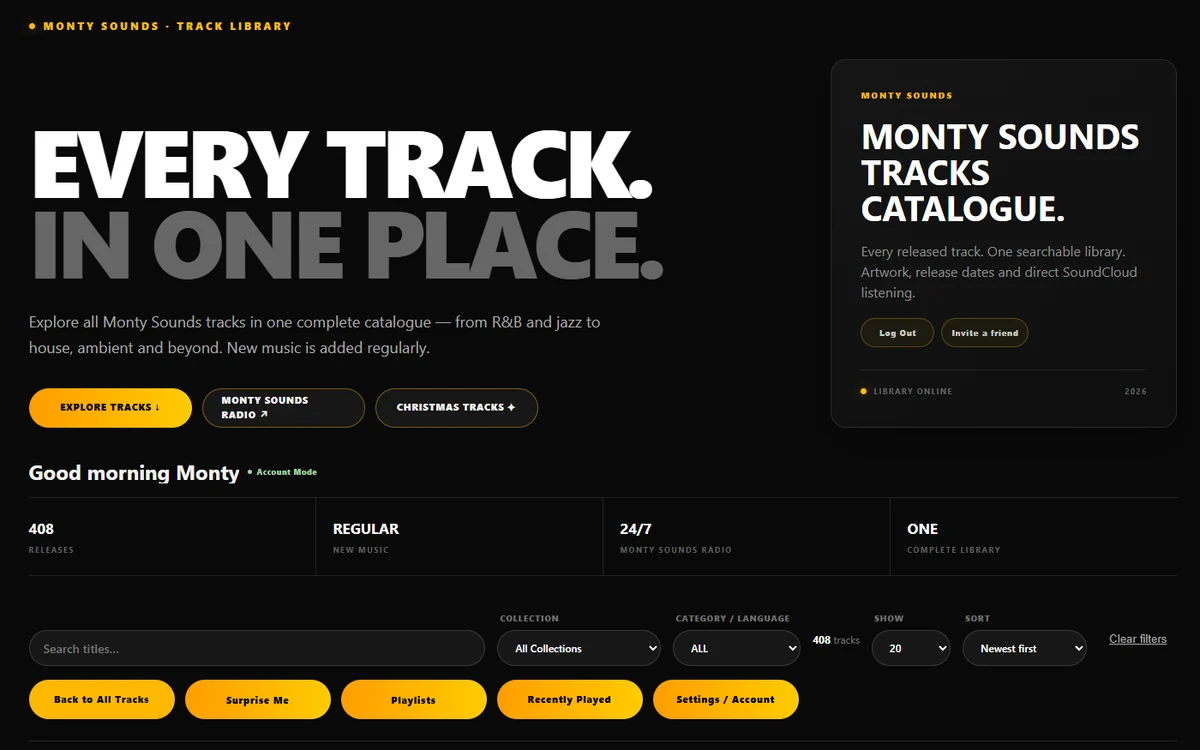
Monty Sounds Listen, at listen.montysounds.com, is where people actually listen to Monty Sounds. It isn't the montysounds.com website, which tells the story of the music. Listen is the player: every released track, searchable, playable and shareable, on the web, as an installable web app, and in the phone and TV apps.
It's part of Monty Network, and like the rest of the network it was designed, built and is run by one person: me. Behind it sits Notion, where every track's details live, and Monty Control, which gets each track ready and tells Listen when to refresh.
This case study walks through the library, the player, the two ways to use it, and the routine that keeps it up to date.
Listen at a Glance
One catalogue. Every track with its own artwork. Nothing between a listener and the Play button.
Why I Built It
The music used to live on an All Tracks page on the WordPress site: a long list of covers, each linking away to a track page. You could find a song, but you couldn't simply play it.
So I rebuilt the idea around one button. Every track gets Play now instead of a link. Search, filter, play, move to the next track, and never leave the page.
And for the moments when you don't know what you want, there's a button for that too.
The one rule.
The music is always free to play, with no account. An account adds things; it never unlocks the music itself.
The Library
Every track arrives as a card: its own artwork, its title, release date and style, and the buttons you need.
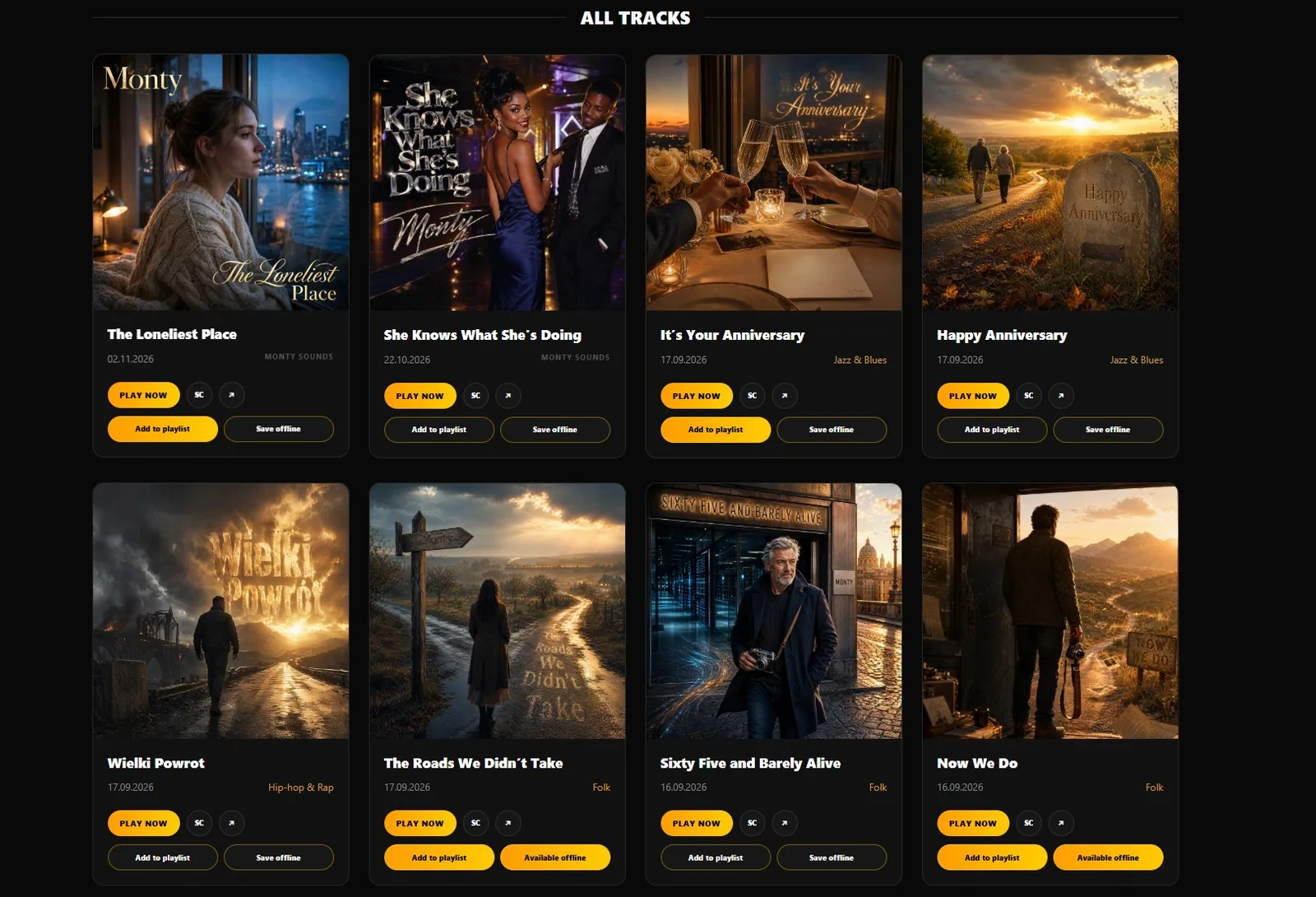
- Search and filter. Search titles, narrow by collection, by style or by language, choose how many to show and sort by newest or oldest.
- Surprise Me. Picks a random track and brings it into view. It doesn't interrupt what's already playing: you choose when to press play.
- On each card. Play now, SoundCloud, Share (with the track's own short link), Add to playlist and Save offline.
- A page for every track. Each track also has its own address, so a shared link opens straight on that song, with its artwork in the preview.
Only finished tracks appear. A track needs a release date, its audio and its artwork before Listen will show it, so the library never has gaps.
The Player
Press play and the Now Playing panel slides in beside the library: the cover, the title, a progress bar, previous and next, volume, and the same SoundCloud, Share, playlist and offline buttons.
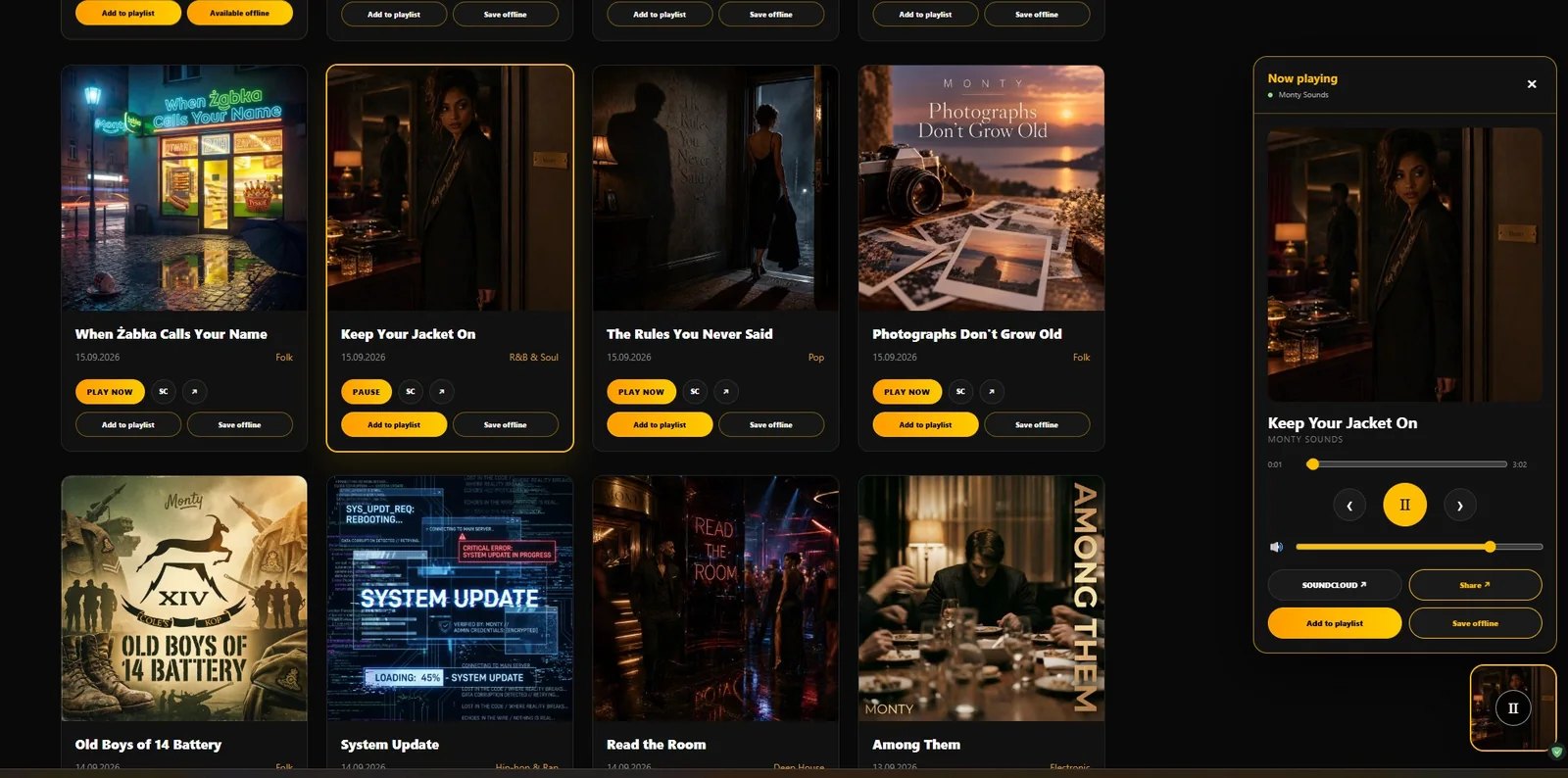
The hard part wasn't the player. It was making sure nothing stopped it.
- Keep browsing. Searching, filtering and opening playlists happen on the same page, so the music carries on.
- Links that would end the page open in a new tab while something is playing, including Log In.
- One tab at a time. Start a track in a second Listen tab and it takes over; the first one pauses. The radio hands over the same way.
Two Ways to Listen
Most music services ask you to sign up before you hear a note. Listen gives you a choice, and makes it plain which one you're in.
No account. Playlists and recently played tracks live in this browser or device only. Clear the browser's data and they're gone, and the app says so.
Playlists follow you to every linked device, tracks can be saved for offline listening, and settings travel with you.
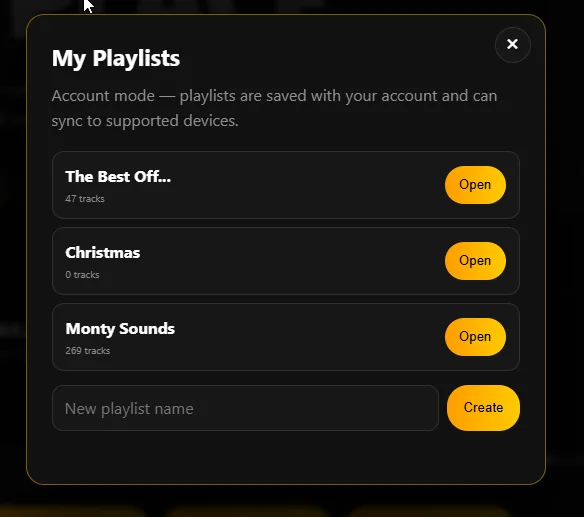
An account is a small thing to ask for, so it has to be worth trusting. Settings covers Account, Language, Playlists, Offline, Security, Activity, Devices, Emails and Privacy.
- Security. An authenticator app as a second step at sign-in, with room for a backup.
- Activity and Devices. Recent account activity, and every linked device listed, each one able to be signed out.
- Emails and Privacy. News emails only with permission, a copy of your data on request, and a button to delete the account.
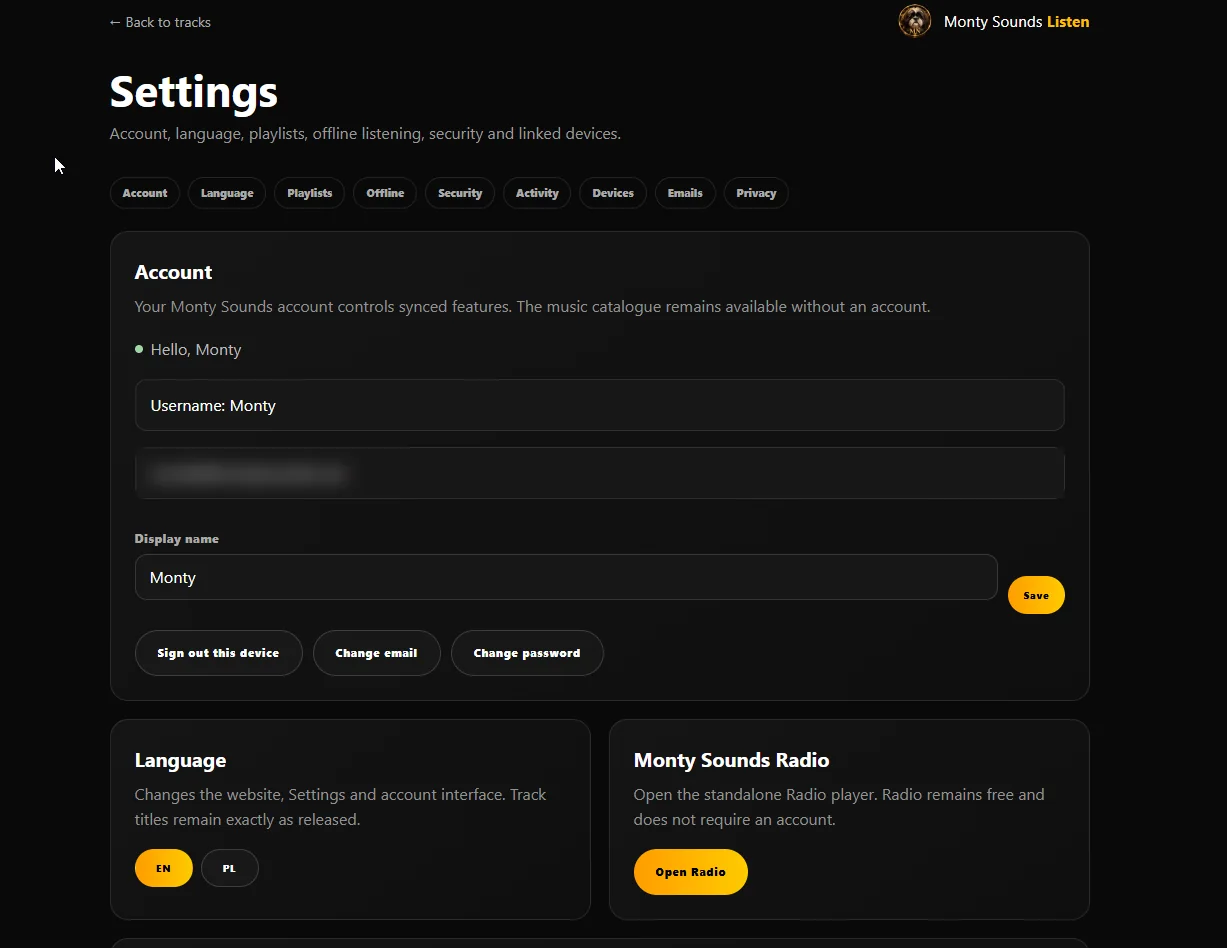
Behind the scenes, accounts that never confirm their email get a reminder after one day and again after seven, and are removed after thirty. Nobody keeps a half-made account forever.
Every Screen
The same library and the same account reach four kinds of screen:
- Any web browser
- Installable web app
- Android phone app
- Google TV app
Linking a phone or TV takes no typing of passwords on a remote control. The app shows a short pairing code; you type that code into Listen's Devices page on the website, and the device is linked. Each device is its own session and can be removed on its own.
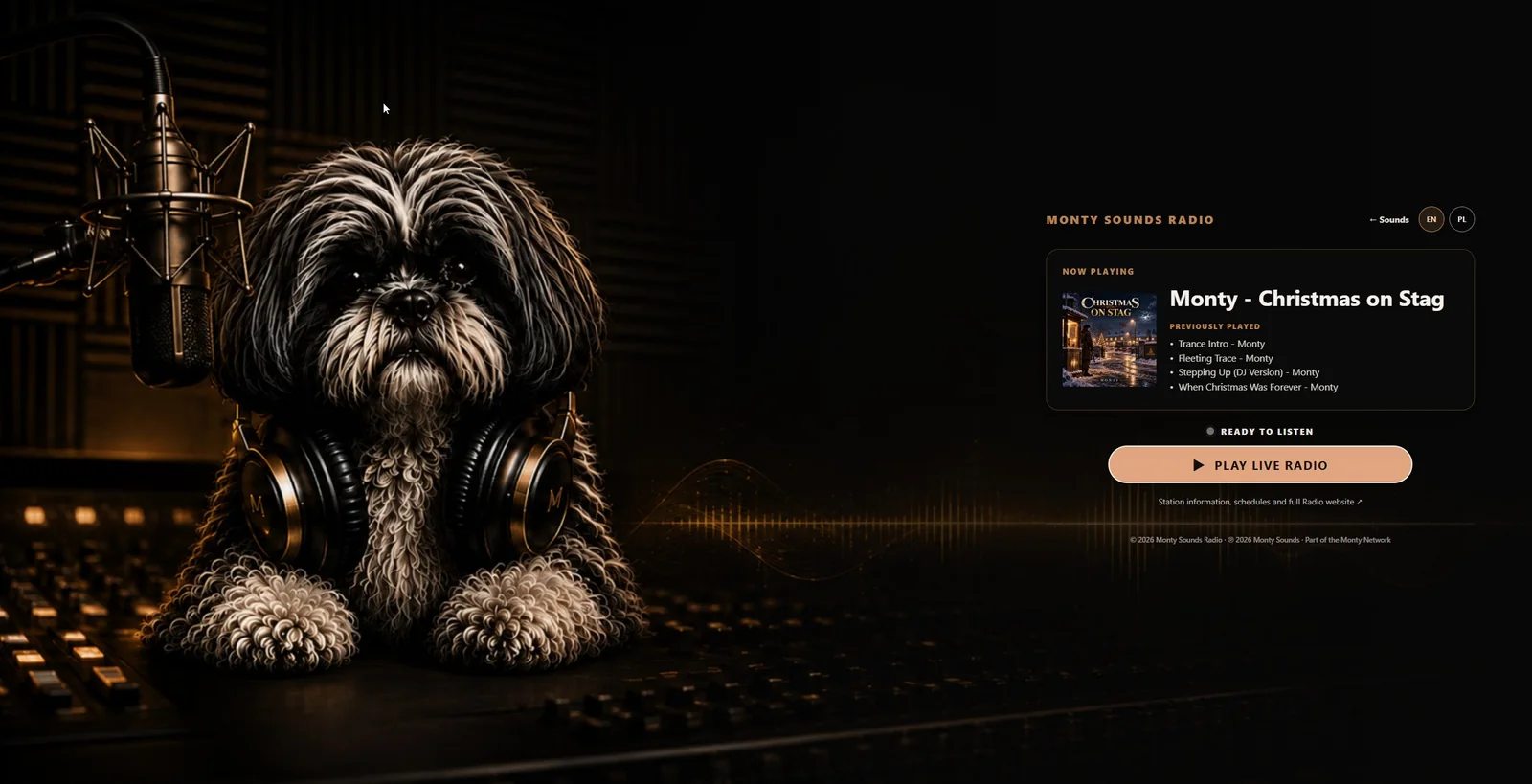
The radio lives inside Listen too, one button away, and is free in both modes.
From Notion to Listen
Listen has no admin screen of its own, and nothing comes across from Suno. Everything it shows, the title, release date, style, collection, audio address, artwork and short link, is read from the track's row in Notion. Notion is the source of truth.
A new track takes the same six steps every time, with Monty Control's Instructions page alongside: type the title once and every file name and address fills itself in.
- The MP3Downloaded, with a plain title
- NotionThe track's data added to its row
- ArtworkCompleted and online
- SoundCloud and radioThe track uploaded to both
- SyncAll the data synced to Notion automatically
- ReadyThe track is on Listen, ready to check and share
Every night Listen rebuilds its catalogue from the Singles database, keeping only tracks with a release date, an audio file and artwork. When I can't wait for the night, Sync now in Monty Control does it straight away, and gives the track its tk.montysounds.com short link in the same minute.
One row in Notion. One press of Sync now. The track is live, with its artwork, its short link and its share kit.
Christmas, Kept Apart
Christmas tracks have their own home at listen.montysounds.com/christmas/, with their own Notion database, their own nightly sync and their own playlist cover. They show in the phone and TV apps as well.
Keeping them apart means the main catalogue never fills up with tinsel in July, and the whole Christmas page can be switched off with a single setting when the season ends.
Behind the Scenes
- Two languages. The website, Settings and account pages switch between English and Polish. Track titles stay exactly as released.
- Accounts. Run on Supabase, with sign-in emails sent through Resend. I get an email for every new account.
- Audio and artwork. The MP3s are served from pCloud; the artwork from artwork.montysounds.com, in sizes chosen for each screen.
- Health. Listen reports its own health to Monty Control alongside every other site in the network.
- Stats. Monty Stats counts plays without collecting anything personal.
One deliberate gap: Listen isn't on the Link Checker. With four hundred tracks, each with several links, a full scan would be a lot of noise for very little news.
Results
The All Tracks page was a list you scrolled. Listen is a place you stay: search, play, pick up where you left off on another device, and let Surprise Me choose when you can't.
Figures as of 3 November 2026, from Listen and Monty Control.
What's Next
This is version one. Unlike the radio, which should stay simple, Listen will keep growing.
- Christmas, joined up. The Christmas page still uses its own player; bringing it into Listen's player means the music carries on between the two.
- Still free to play. An account will always be optional. That rule isn't up for review.
What I've learnt
The player was the easy part. Making sure nothing ever stopped it was the real work. A music site is judged by the moments it doesn't interrupt.
Every track. In one place. On every screen.